

Exemple pour développeur · Sprig
Hello Grove
Un exemple Sprig Vue 3 + TypeScript pour tester le pont Grove.
- Version
- 0.1.0
- Mode d’exécution
- Panneau du salon
- Grove API
- 1
- Mis à jour
- 2026-07-31
Autorisations demandées
3 permissions
Accès réseau
Aucun accès à Internet
Son manifeste ne déclare pas d'hôtes externes. Le bac à sable de Grove bloque les requêtes réseau en dehors du package.
Captures d'écran
Le voir dans Mango.
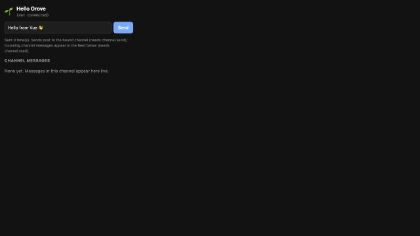
Depuis l'extension
README · Anglais
Hello Grove — sample Sprig (Vue 3 + TypeScript)
A minimal Grove extension (“Sprig”) for testing Mango’s grove-ext:// host and
the window.grove bridge. See Docs/Design/grove.md for the platform design.
Build
cd Examples/grove-hello-vue
npm install
npm run build      # → dist/  (index.html + manifest.json + assets/)
npm run package    # → hello-grove.grove, ready to install on iOS or macOS
vite.config.ts sets base: './' so the built asset URLs are relative and
resolve under the Sprig’s own origin. public/manifest.json is copied verbatim
into dist/.
The repository’s source directory is deliberately not itself an installable
Sprig: its manifest lives under public/ and its entry imports TypeScript/Vue
source. Install the generated hello-grove.grove, or dev-load the built
dist/ directory on macOS.
Node 18 or newer is required by the build toolchain.
Load into Mango
iPhone and iPad
- Put
hello-grove.grovein Files or iCloud Drive. - In Mango, open Grove Extensions and choose Install .grove….
- Select the package, then press Start beside Hello Grove and approve its requested permissions.
macOS (development)
- Run Mango.
- Open any channel.
- Click the puzzle-piece button at the top-right of the transcript.
- Choose Load Unpacked (Dev)…, then select
Examples/grove-hello-vue/dist.
The Sprig opens in a split-pane bound to that channel.
What it demonstrates
- Reads
window.grove.info.id(the Sprig identity from the bridge). - Calls
window.grove.send(text)— posts to the bound channel through the native bridge →IRCFeature’s send path (capability-gated onchannel.send). - Subscribes to
window.grove.on('message', …)— the feed shows this channel’s messages live (capability-gated onchannel.read).
Manifest
{
  "grove": 1,
  "id": "app.mango.grove.hello",
  "capabilities": ["channel.read", "channel.send"],
  "hostPermissions": []   // no network — pure local UI
}
Bridge type declarations live in src/grove.d.ts — keep them in sync with
Mango/Grove/Host/GroveWebView.swift::facadeSource.
manifest.jsonapp.mango.grove.hello
{
  "grove": 1,
  "id": "app.mango.grove.hello",
  "name": "Hello Grove",
  "version": "0.1.0",
  "description": "A Vue 3 + TypeScript sample Sprig for testing the Grove bridge.",
  "author": {
    "name": "Mango",
    "url": "https://mango.app"
  },
  "readme": "README.md",
  "screenshots": [
    {
      "path": "screenshots/hello-grove.png",
      "caption": "Hello Grove's channel-pane interface."
    }
  ],
  "entry": "index.html",
  "presentation": {
    "surfaces": [
      "channelPane"
    ],
    "defaultSurface": "channelPane",
    "defaultSize": {
      "width": 340,
      "height": 460
    }
  },
  "capabilities": [
    "channel.read",
    "channel.send",
    "storage"
  ],
  "hostPermissions": []
}