

Developer sample · Sprig
Hello Grove
A Vue 3 + TypeScript sample Sprig for testing the Grove bridge.
- Version
- 0.1.0
- Runs as
- Channel pane
- Grove API
- 1
- Updated
- 2026-07-31
Requested access
3 permissions
Network access
No internet access
Its manifest declares no external hosts. Grove’s sandbox blocks network requests outside the package.
Screenshots
See it in Mango.
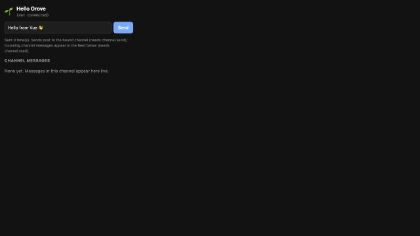
From the extension
README
Hello Grove — sample Sprig (Vue 3 + TypeScript)
A minimal Grove extension (“Sprig”) for testing Mango’s grove-ext:// host and
the window.grove bridge. See Docs/Design/grove.md for the platform design.
Build
cd Examples/grove-hello-vue
npm install
npm run build      # → dist/  (index.html + manifest.json + assets/)
npm run package    # → hello-grove.grove, ready to install on iOS or macOS
vite.config.ts sets base: './' so the built asset URLs are relative and
resolve under the Sprig’s own origin. public/manifest.json is copied verbatim
into dist/.
The repository’s source directory is deliberately not itself an installable
Sprig: its manifest lives under public/ and its entry imports TypeScript/Vue
source. Install the generated hello-grove.grove, or dev-load the built
dist/ directory on macOS.
Node 18 or newer is required by the build toolchain.
Load into Mango
iPhone and iPad
- Put
hello-grove.grovein Files or iCloud Drive. - In Mango, open Grove Extensions and choose Install .grove….
- Select the package, then press Start beside Hello Grove and approve its requested permissions.
macOS (development)
- Run Mango.
- Open any channel.
- Click the puzzle-piece button at the top-right of the transcript.
- Choose Load Unpacked (Dev)…, then select
Examples/grove-hello-vue/dist.
The Sprig opens in a split-pane bound to that channel.
What it demonstrates
- Reads
window.grove.info.id(the Sprig identity from the bridge). - Calls
window.grove.send(text)— posts to the bound channel through the native bridge →IRCFeature’s send path (capability-gated onchannel.send). - Subscribes to
window.grove.on('message', …)— the feed shows this channel’s messages live (capability-gated onchannel.read).
Manifest
{
  "grove": 1,
  "id": "app.mango.grove.hello",
  "capabilities": ["channel.read", "channel.send"],
  "hostPermissions": []   // no network — pure local UI
}
Bridge type declarations live in src/grove.d.ts — keep them in sync with
Mango/Grove/Host/GroveWebView.swift::facadeSource.
manifest.jsonapp.mango.grove.hello
{
  "grove": 1,
  "id": "app.mango.grove.hello",
  "name": "Hello Grove",
  "version": "0.1.0",
  "description": "A Vue 3 + TypeScript sample Sprig for testing the Grove bridge.",
  "author": {
    "name": "Mango",
    "url": "https://mango.app"
  },
  "readme": "README.md",
  "screenshots": [
    {
      "path": "screenshots/hello-grove.png",
      "caption": "Hello Grove's channel-pane interface."
    }
  ],
  "entry": "index.html",
  "presentation": {
    "surfaces": [
      "channelPane"
    ],
    "defaultSurface": "channelPane",
    "defaultSize": {
      "width": 340,
      "height": 460
    }
  },
  "capabilities": [
    "channel.read",
    "channel.send",
    "storage"
  ],
  "hostPermissions": []
}